
Online Safety
Online Safety Lead - Mrs Cathy Brokenshire
Computing Lead - Mrs Sarah Parekh
At St Dennis Primary Academy, we place a strong emphasis on teaching children how to stay safe, respectful and responsible online. Our approach is rooted in the statutory Relationships and Health Education curriculum, which requires schools to teach pupils about positive relationships, online behaviour, privacy and how to keep themselves safe in a digital world.
We use Natterhub to support this work. Natterhub is an interactive platform designed to help children learn about online safety through realistic, age-appropriate experiences. It provides a safe, simulating social network where pupils can practise making good choices and applying what they have been taught.
Our curriculum is built around the key strands of: families and people who care for me, caring friendships, respectful relationships, online relationships, and being safe.
Through our teaching, we ensure that pupils understand how to build positive relationships both online and offline. We teach children to treat others with kindness and respect, to recognise when something does not feel right and to seek help from a trusted adult when needed. Pupils learn about different forms of bullying, including online behaviours and how to respond appropriately and safely.
We also focus on helping children develop critical thinking skills. Pupils are taught to question what they see online, understand how information and data can be shared and recognise that not everything they encounter online is accurate or safe. Alongside this, we teach practical strategies such as protecting personal information, creating strong passwords and understanding the difference between public and private spaces online.
Importantly, we support children to develop healthy habits around technology use. This includes understanding the impact of screen time, setting appropriate boundaries and balancing online activity with other aspects of their lives.
Our aim is to equip all pupils with the knowledge, skills and confidence they need to navigate the online world safely and responsibly, both now and in the future.
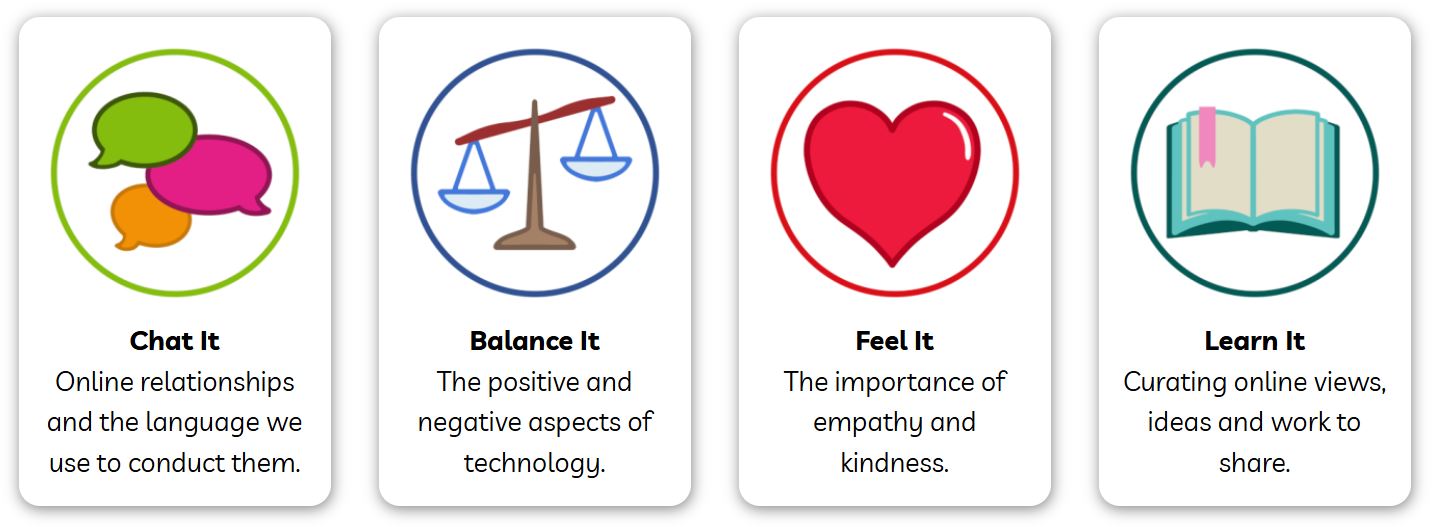
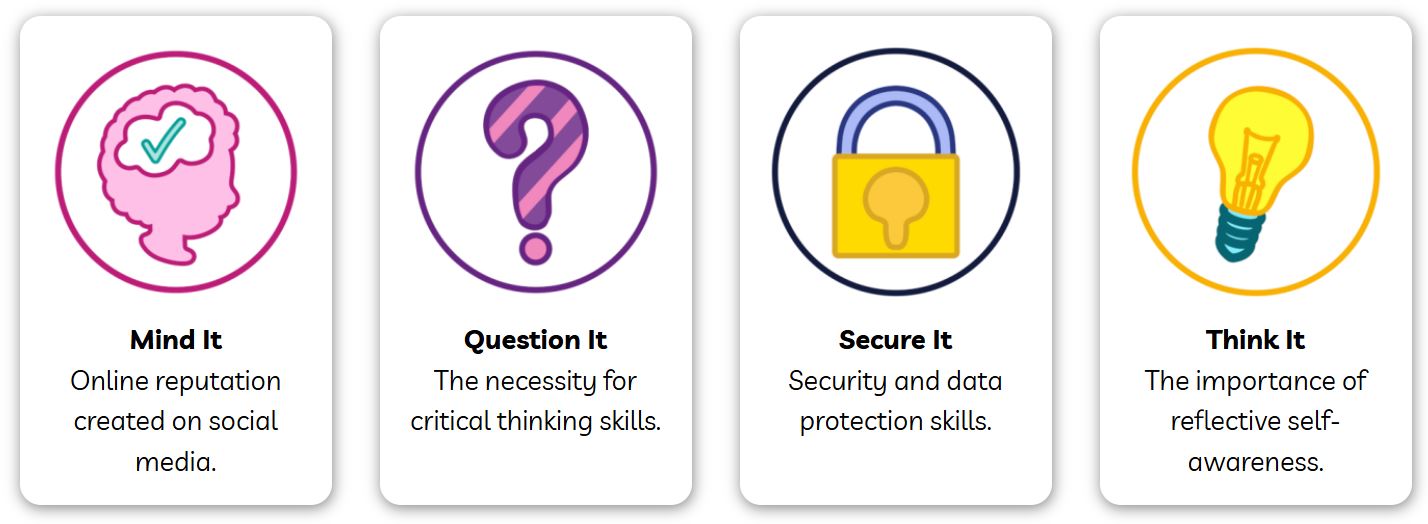
We follow the following units across all year groups:
Question It - helps children think critically about the information they find.
Secure It - teaches pupils to protect themselves while online.
Feel it - explores how to create meaningful online relationships based on mutual respect.
Think It - helps children to self-regulate their behaviour and know what is and isn’t appropriate online.
Learn It - teaches children to reflect on the ways that they share, create and consume online.
Balance It - stresses the importance of using screens actively rather than passively, and taking regular breaks.
Mind It - teaches children about the permanence of online posts will allow them to be more conscientious.
Chat It - encourages students to be mindful of how they use the internet, as well as problems that can arise.
Brook Learn Lessons
|
Year 1 |
Managing our time safely whilst online Describe how something online might make someone feel worried or sad Recognise different feelings Identify up to four adults who can help with problems online |
|
Year 2 |
Sharing pictures Describe what might happen if we share a picture Identify the effect of people’s actions online and consider ways of keeping myself and others safe Recognise that I can be an ‘upstander’ by choosing not to join in Identify up to four adults in my life who I trust and how I can ask them for help if I have a problem online Online friends Describe the qualities that make a good friend Identify that people online may not tell the truth Explain the difference between a secret and a surprise Identify up to four adults in my life who I trust and how to ask them for help if I have a problem online |
|
Year 3/4 |
What makes a good friend? Identify the qualities of a good friend (on/ offline) Describe the effects of loneliness and how to support ourselves and others Understand that friendships change across our lifetime Identify how to manage conflict in friendships positively Describe how to get support Safely enjoying the online world Recognise when something encountered online ‘doesn’t feel right’ Identify and resist pressurising and manipulative behaviour Identify some risks of sharing photos, videos and comments publicly Explain what privacy settings are used for and how they can help Give examples of how online actions can affect others |
|
Year 4/5 |
Online content – Can you trust everything you see online? Understand that not everything online is trustworthy Recognise some of the differences between fact and opinion Describe how to make decisions on what they trust online using agreed criteria Online contact – Can you trust everyone who contacts you online? Recognise that it is their own choice to accept something online Recognise ways that people may seek to persuade them online Know what to do if they have any concerns about something they experience online |
|
Year 6 |
Online friendships and keeping safe Understand the dangers of taking personal photographs and sharing them online Skills for using the internet safely Understand the dangers of chatting to strangers online Social media Recognise what wellbeing and social media mean Describe actions a person can take to look after their wellbeing with a balance of online and offline activities Evaluate the positives and negatives of social media |
Safer Internet Day is also a whole school focus every February, and it helps us to explore what it means to stay safe. Through assemblies, year-group specific lessons and interactive games, we explore what staying safe looks like and how we can be safe.
Parental Controls Booklet
Online Safety Videos
Monthly Online Safety Newsletters?????????????????????
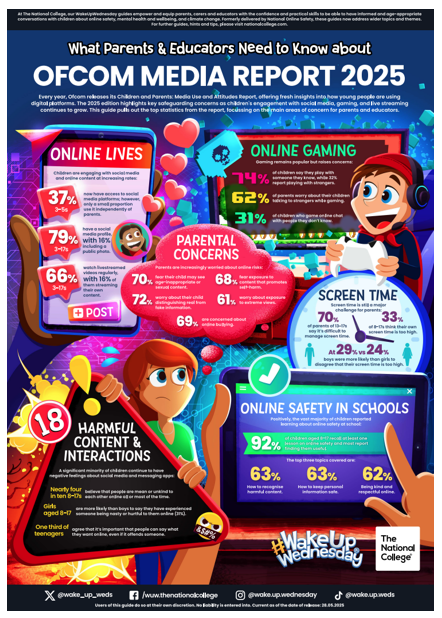
How can you help at home?
There are many websites that can support you in helping your child stay safe online, from finding out about how to use privacy controls, information on cyberbullying or researching whether the latest game is age appropriate.
 Internet matters supports families through ‘expert support and practical tips to help children benefit from connected technology and the internet safely and smartly’.
Go to Internet Matters website
 Net Aware uses the expertise of the NSPCC to give tools and advice on keeping safe online.
 Thinkuknow has advice from the National Crime Agency on how to stay safe online.
Go to Thinkuknow website
 The UK Safer Internet Centre also has advice, tips and guides on how to keep safe online.
Go to Safer Internet website
 Common Sense Media gives unbiased and trusted advice on the age appropriateness of a range of media including films and games.
Go to Common Sense Media website